Usage
This section assumes EPLDUpgrader has already been installed. Please refer to the
Install for more details regarding installation steps. This page will cover general usage of
the application. Note that some sections are specific to standalone mode only.
The general usage is as follows:
standaloneunder User Accounts update the default username and password and create extra read-only users as needed.standaloneadd one or more fabrics to monitor as described under Fabrics- Ensure that valid ssh credentials have been configured under Settings
- Under the Firmware section, create an epld image from an existing nxos image currently present under the APIC firmware.
- Under the Devices section, select one or more devices to upgrade. You will be prompted for the epld image previously created under the firmware step along with a few other upgrade options.
User Accounts
Note
This section is only applicable to standalone mode. In app mode the APIC handles
all authentication and authorization requests.
Once the application is installed, the default credentials are as follows:
- username: admin
- password: cisco
You can click the Users  icon at the top right of the page to modify credentials along
with adding and modifying users. The app supports an admin role which has full read and write
access along with a read-only user role.
icon at the top right of the page to modify credentials along
with adding and modifying users. The app supports an admin role which has full read and write
access along with a read-only user role.
Fabrics
Note
This section is only applicable to standalone mode. In app mode the fabric is auto
discovered when the app is installed.
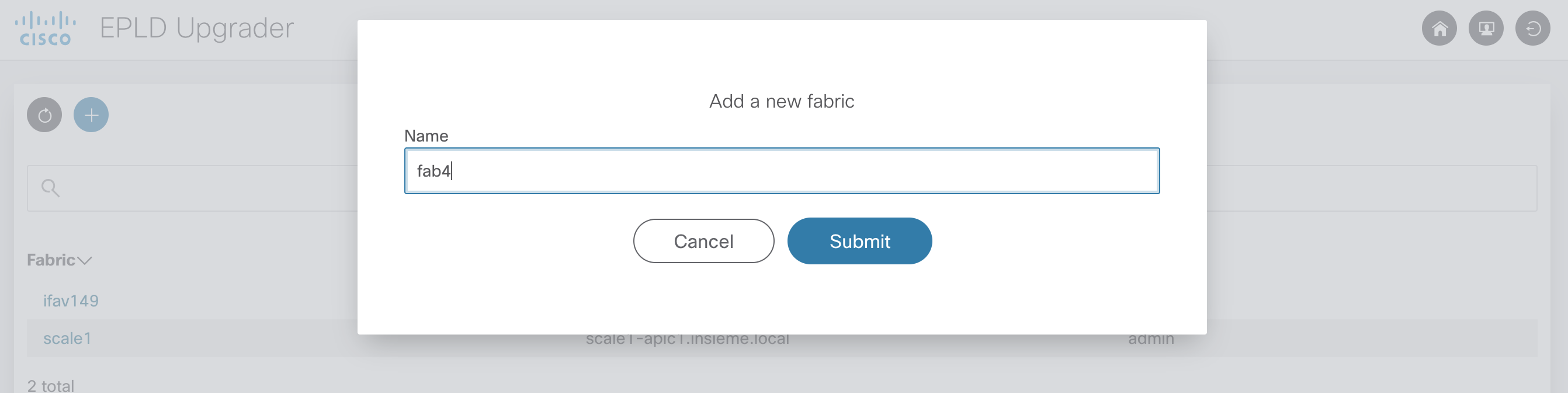
Click the Home  icon to access the home page and add fabrics to manage. Multiple fabrics
can be managed by a single app. Simply click the Add icon and enter the fabric name. Once submitted
you will be redirected to the Settings page.
icon to access the home page and add fabrics to manage. Multiple fabrics
can be managed by a single app. Simply click the Add icon and enter the fabric name. Once submitted
you will be redirected to the Settings page.
Settings
The settings section is divided into multiple sub-sections. Ensure you click the Save  icon to apply your changes.
Connectivity
Note
APIC hostname and API credentials are auto detected in app mode and cannot be changed.
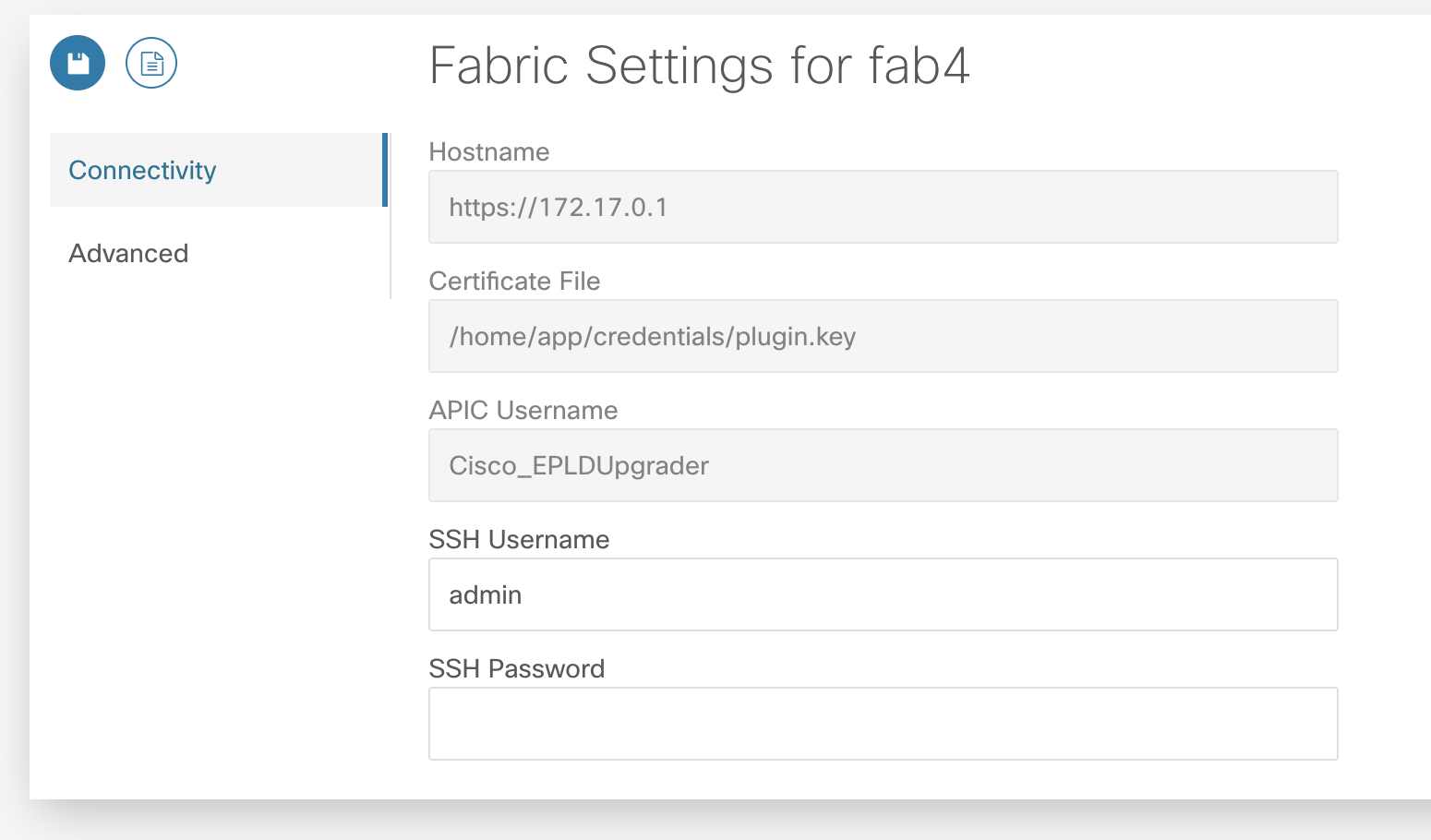
Connectivity settings containing hostname and APIC credentials are required to access the fabric. An APIC username with admin role on the all security domain is required. SSH credentials are required for scp operations used by this app. A user with admin read role is required for the SSH credentials. When settings are saved the credentials are checked and an error is displayed if the credentials are invalid.
Advanced
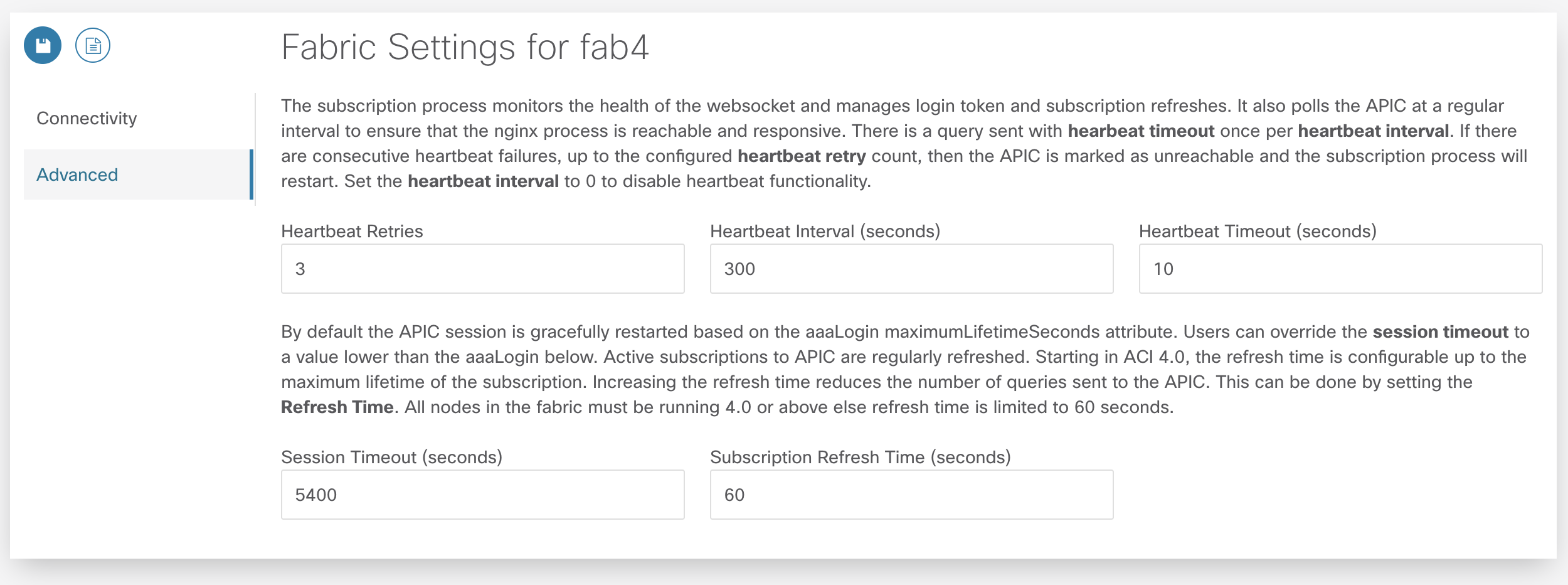
There are a few advanced connectivity settings that can be adjusted. The default settings are suitable for most deployments.
Subscription Heartbeats
The subscription process monitors the health of the websocket and manages login token and subscription refreshes. It also polls the APIC at a regular interval to ensure that the nginx process is reachable and responsive. There is a query sent with a hearbeat timeout once per heartbeat interval. If there are consecutive heartbeat failures, up to the configured heartbeat retry count, then the APIC is marked as unreachable and the subscription process will restart. Set the heartbeat interval to 0 to disable heartbeat functionality.
- Heartbeat Retries maximum number of successive heartbeat failures before APIC connection is declared unusable and subscription thread is closed
- Heartbeat Interval interval in seconds to perform heartbeat query to ensure APIC connection is available and responsive. Set to 0 to disable heartbeat.
- Heartbeat Timeout timeout in seconds for a single heartbeat query to complete
Session Handling
By default the APIC session is gracefully restarted based on the aaaLogin maximumLifetimeSeconds attribute. Users can override the session timeout to a value lower than the aaaLogin lifetime by setting a limit on the session time. Starting in ACI 4.0, the refresh time is configurable up to the maximum lifetime of the subscription. Increasing the refresh time reduces the number of queries sent to the APIC. This can be done by setting the Refresh Time. All nodes in the fabric must be running 4.0 or above else refresh time is limited to 60 seconds.
- Session Timeout maximum time in seconds before new login and websocket is started for APIC session
- Subscription Refresh Time time in seconds between subscription refreshes.